
On-premise IT asset management: inventory, lifecycle, licenses and contracts in one system.
Hardware from purchase to disposal, handover records with QR code, stocktaking by scan, license and contract management with cost centers — self-hosted and linked to your ticketing.
What asset management covers
Devices, software, contracts and costs in one data set instead of four lists.
Inventory & master data
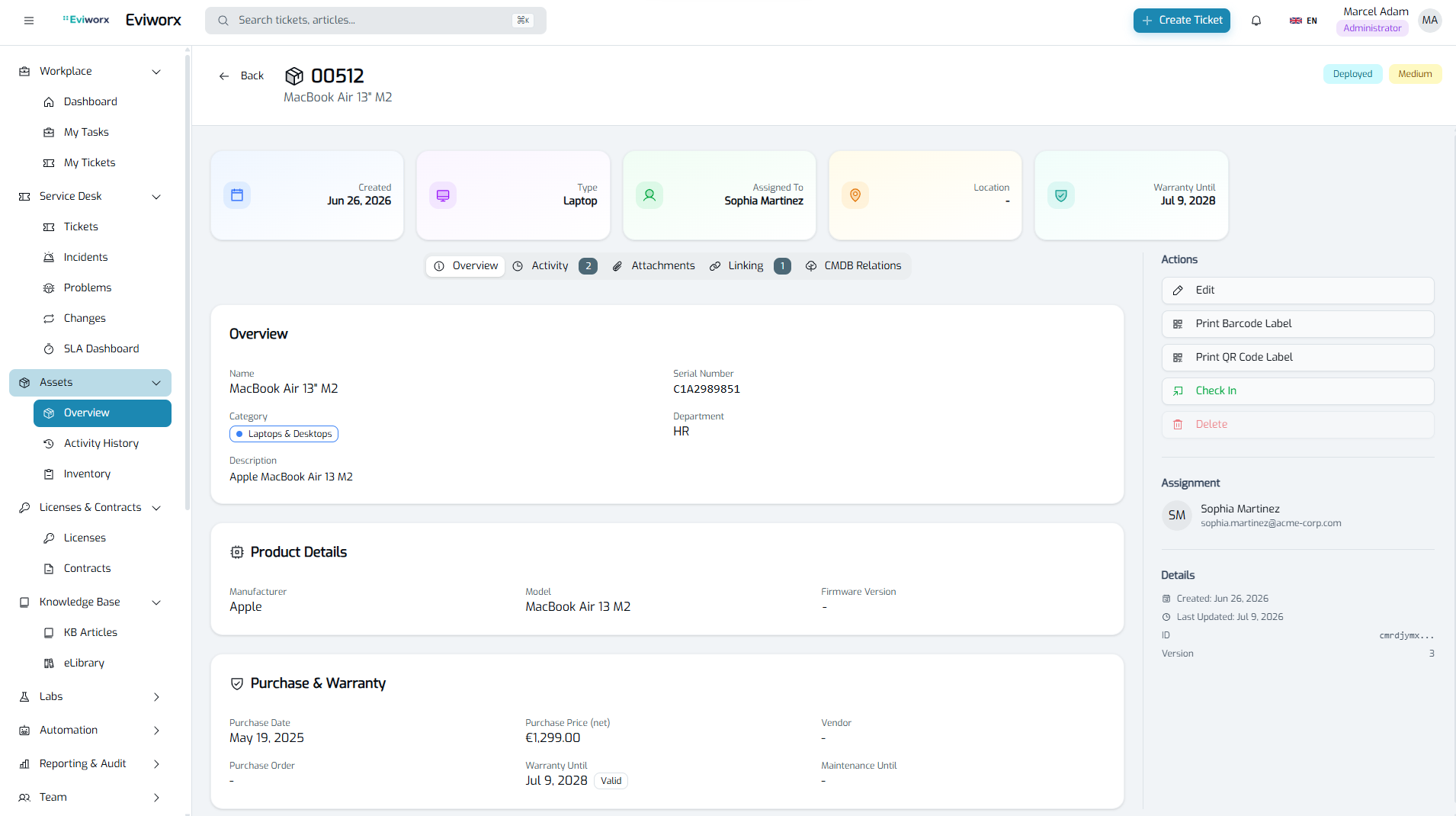
Types, categories and locations from campus to desk. Serial number, purchase price, depreciation rate, criticality and custom fields per type. Duplicate detection for manufacturers and models.
Lifecycle
Eleven statuses from “ordered” through “in use” and “maintenance” to “retired”, “lost” or “disposed”. Three tracking modes: bound to a person, to a location, or consumables with quantities.
Handover & labels
Handover and return records with recipient confirmation by email and damage report. PDF with QR code, data-minimised. Asset labels with QR and barcode straight from the system.
Stocktaking by scan
Stocktaking session per location or person: freeze the expected inventory, scan by QR code or tag, see missing and unexpected assets in the result. Deadlines with reminders and self-service for end users.
Licenses & contracts
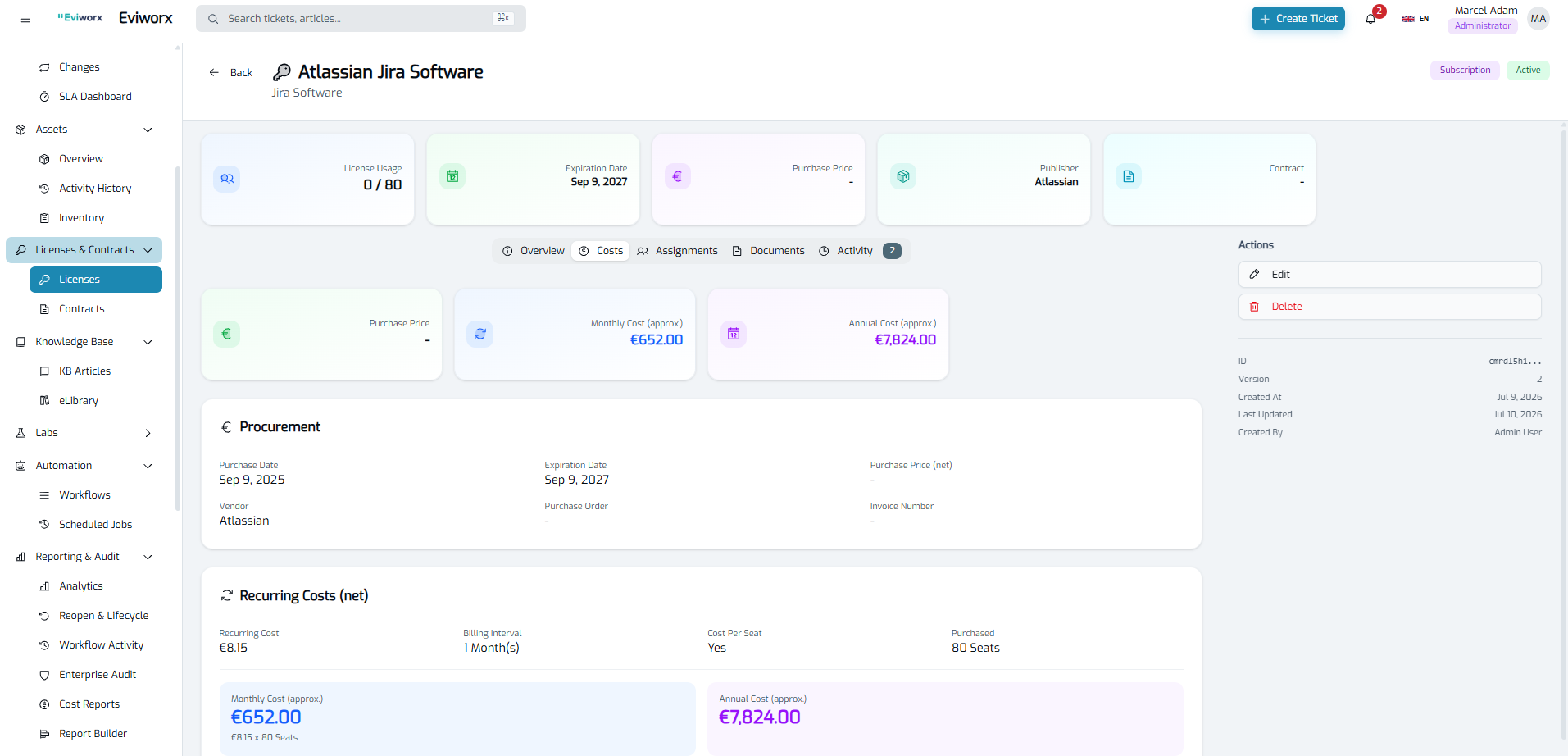
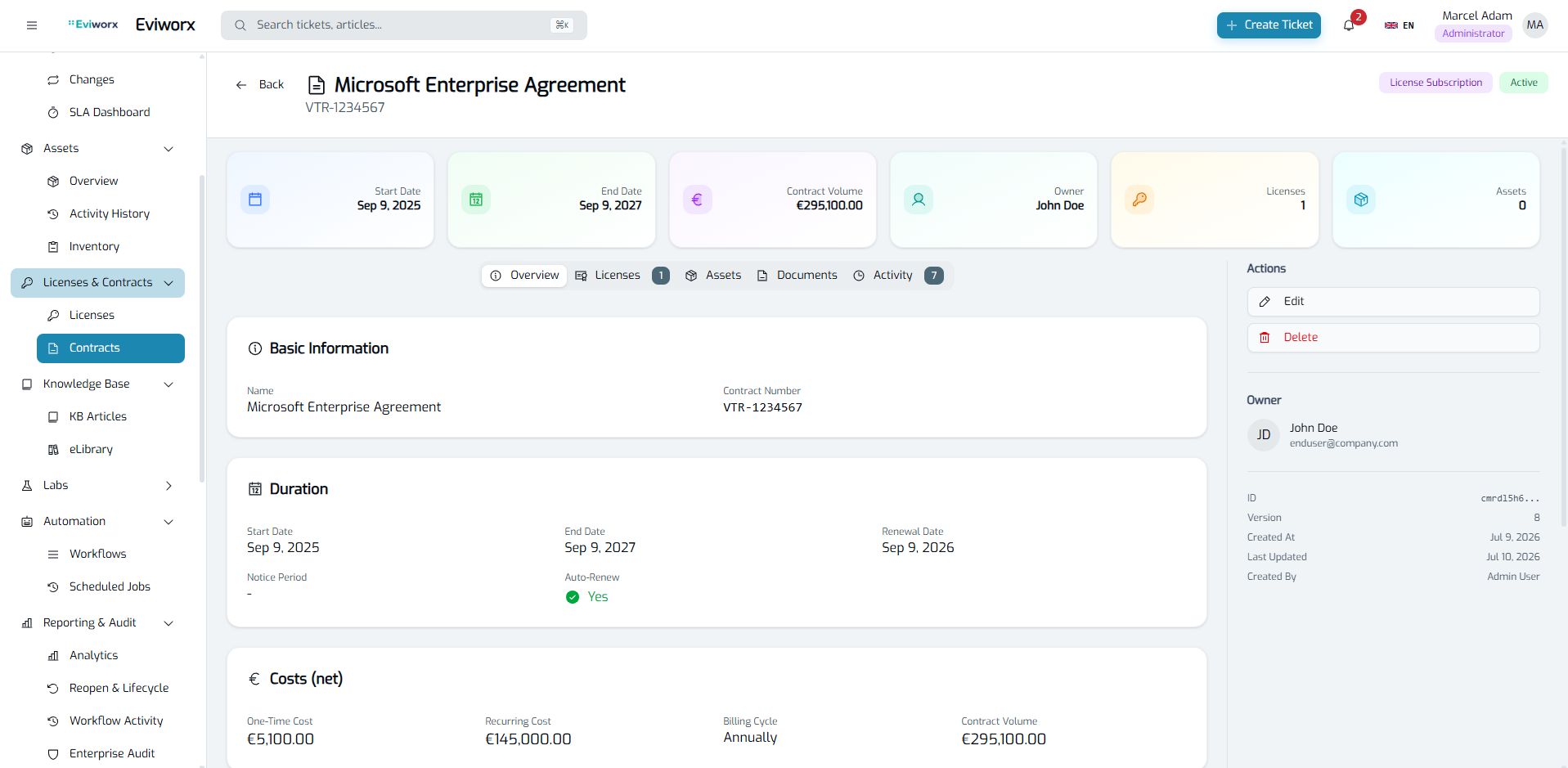
Software catalogue with publishers and products, seat management, encrypted license keys. Contracts with term, notice period, auto-renewal, expiry warnings and contract hierarchy.
Cost centers & reports
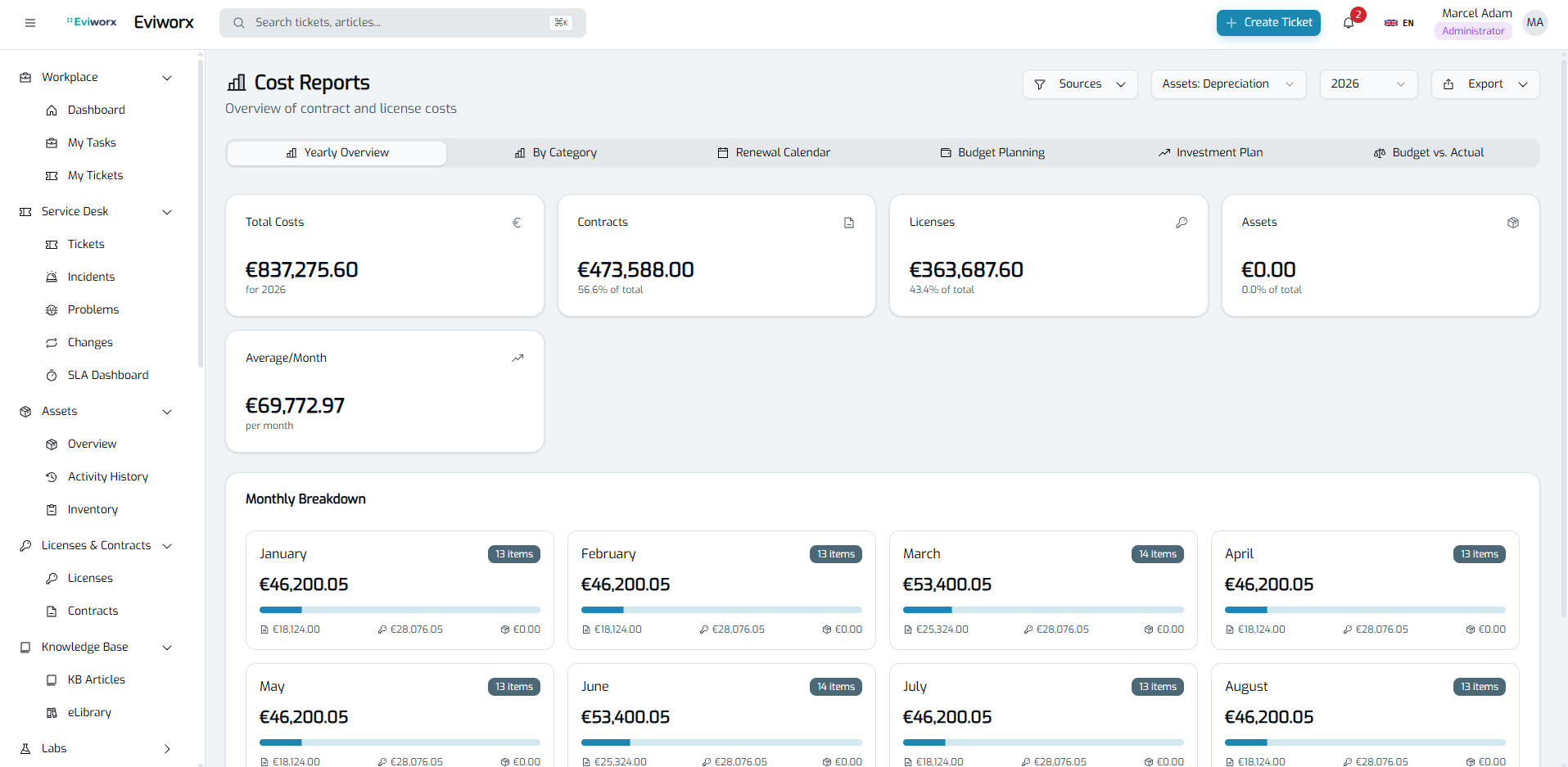
Cost centers with budget, validity and hierarchy. Yearly overview, category breakdown, budget planning, investment plan over up to ten years, renewal calendar and export.
Plus: relations between assets (connected to, installed on, part of, depends on, replaces), links to tickets, incidents, problems and changes, per-role restrictions on individual asset types.
What it looks like
Real screenshots, click to enlarge.
The lifecycle of an asset
From purchase to disposal — every step a documented status.
-
1
Procurement
Ordered and received, purchase price and depreciation rate captured, cost center and contract assigned.
-
2
Provisioning
Available or reserved, label with QR code printed, location or person assigned.
-
3
Handover
Handover record, recipient confirms via email link. Status changes to “in use”.
-
4
Operation
Maintenance, links to tickets and incidents, stocktaking by scan, relations to other assets.
-
5
End of life
Return with damage report, retired, lost or disposed — with the complete history.
Why asset management inside the ticketing system?
A ticket about a notebook is worth more when the notebook itself is in the system: with serial number, user, contract and history. Separate tools create exactly the gaps that show up in audits and NIS2 evidence.
- ✓Assets, contracts and licenses link to tickets, incidents, problems and changes — one history instead of four.
- ✓Per-asset criticality and relations between assets show what an outage takes down with it.
- ✓Access via role model and visibility scoping; individual asset types can be restricted per role.
- ✓Every status change, handover and license-key view is recorded in the SHA-256 chained audit history.
- ✓Self-hosted as a container platform: inventory data stays in your infrastructure.
Eviworx supports you with architecture and processes in meeting GDPR and NIS2 requirements. This does not constitute a certification or a legally binding declaration of conformity.
Frequently asked questions about asset management
Does Eviworx replace our Excel inventory list? +
Yes, and with history: every asset has master data, serial number, location, cost center, purchase price and depreciation rate, plus custom fields per type. The lifecycle from “ordered” to “disposed” is modelled as statuses, and every change is recorded in the audit history.
How does handover to employees work? +
Via a handover record: the asset is assigned to a person, who confirms acceptance through an email link, optionally with a damage report on return. The PDF record carries a QR code and is data-minimised. For labels, Eviworx generates QR and barcodes.
Can we run a stocktake? +
Yes. A stocktaking session freezes the expected inventory for a location or a person, then assets are scanned by QR code or tag. The result shows missing and unexpected assets. Deadlines with reminders and a self-service mode for end users are included.
Are licenses and contracts included? +
Yes, without an add-on module: software catalogue with publishers and products, seat management, encrypted license keys, contracts with term, notice period and auto-renewal, expiry warnings and assignment to cost centers.
30-day trial — with your own assets
All modules included, billed by active agents; assets, contracts and licenses are unlimited. Your data remains exportable.
Technical details in the documentation: Asset lifecycle · Stocktaking · Contracts & licenses