
On-premise ticketing system: helpdesk and service desk in your own infrastructure.
Inbound email, self-service forms, incident, problem and change management, SLA monitoring and a knowledge base — self-hosted, with no SaaS dependency, for IT departments with 5 to 100 agents.
What the ticketing system covers
One service desk for your entire IT operation — from the first call to the documented resolution.
Email becomes a ticket
Connect mailboxes via IMAP or Microsoft 365. Replies land in the right case automatically, new requests become new tickets. Unknown senders are created as contacts, collected or rejected according to your rules.
Self-service forms
Request forms with up to 50 fields, multilingual labels and server-side validation. Forms can be assigned to roles and start a workflow directly.
Tickets, incidents, problems, changes
One record type per task, aligned with ITIL processes: sub-tickets for subtasks, incidents with a data-breach flow, problems for recurring faults, changes from standard to emergency.
SLA monitoring
Response and resolution targets by business hours and holidays, pauses while waiting for the requester, escalation levels with notification, reassignment or priority increase.
Knowledge base
Articles with categories, tags and visibility (public, internal, restricted), draft and published states, linked directly to tickets, incidents and problems.
Approvals & substitution
Approvals by strategy (any, all, majority, quorum) for changes, incidents and problems. Absences with substitution rules: tickets never land on an empty desk.
Plus: response templates in five languages, saved views, reopen and auto-close rules, notifications via email, in-app, push, Microsoft Teams and Webex, real-time presence showing who is working on a ticket.
What it looks like
Real screenshots, click to enlarge.
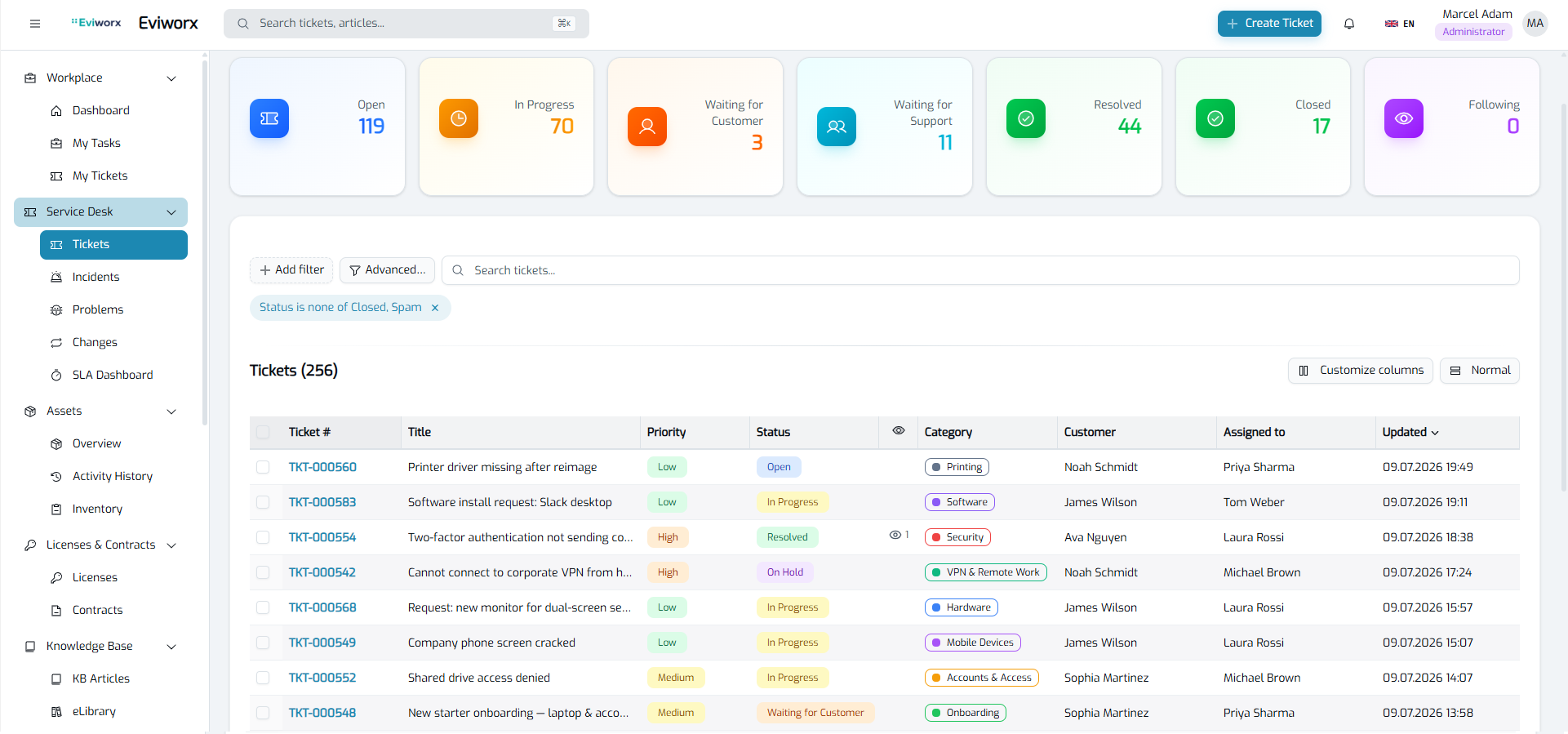
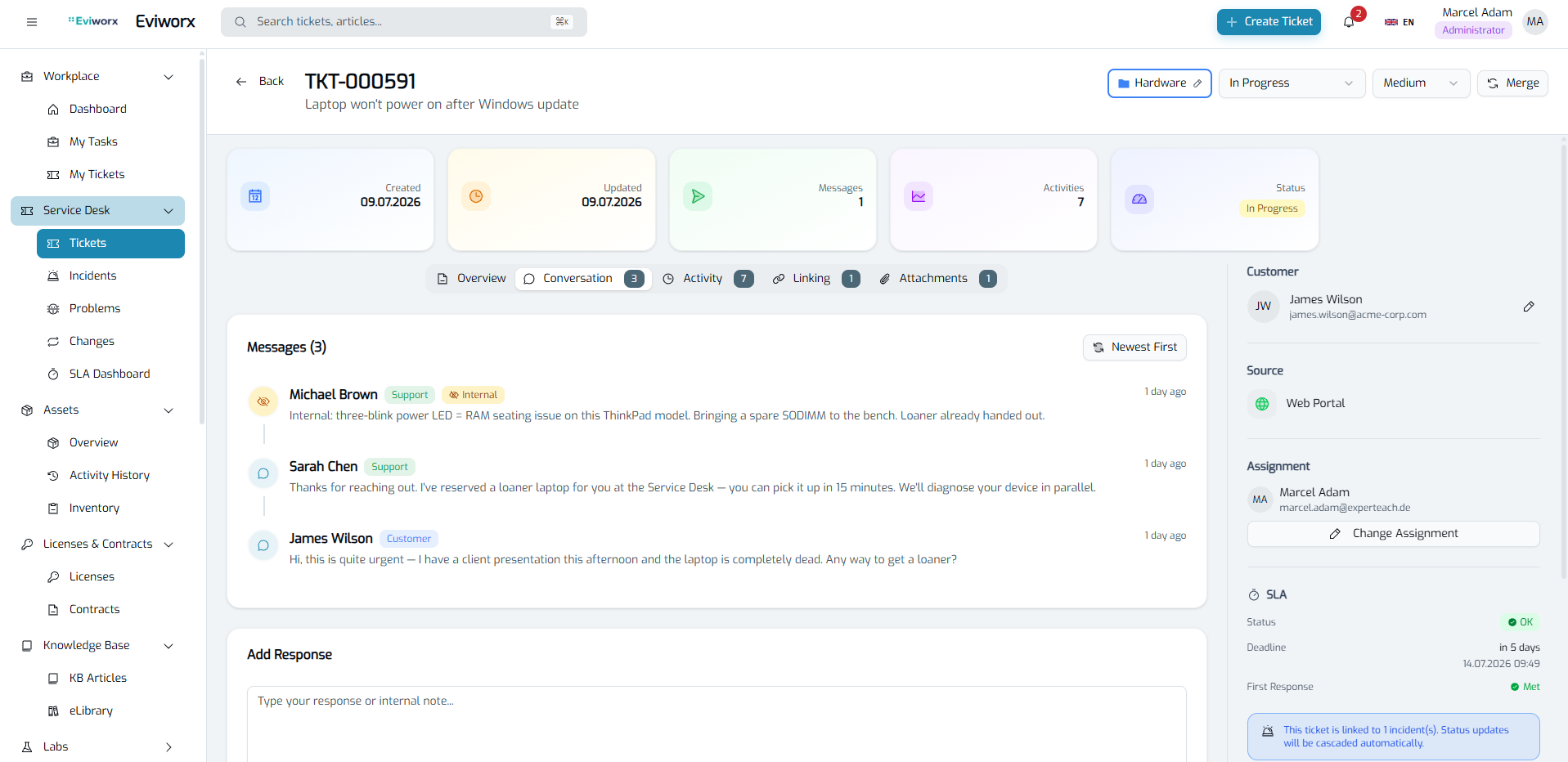
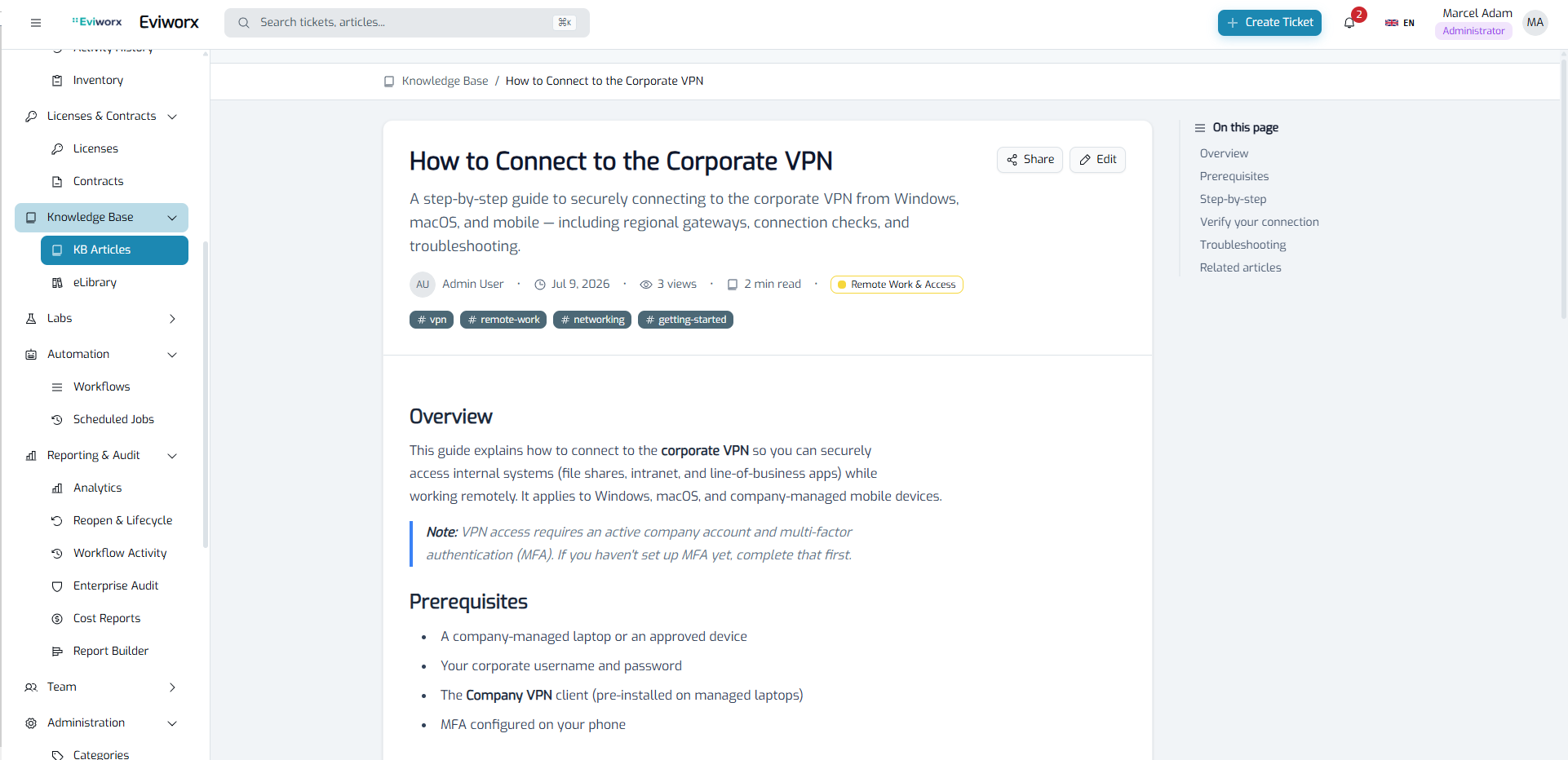
From inbound email to resolved ticket
The typical path of a request through Eviworx.
-
1
Intake
Request via email, form, API or directly by the agent. Forms validate required fields on entry.
-
2
Routing
Category, priority and group from mailbox or form defaults. Absent agents are skipped.
-
3
Work
History, internal notes, virus-scanned attachments, response templates, links to assets and knowledge articles.
-
4
SLA & escalation
Deadlines follow business hours, pause while waiting for the requester and escalate through your levels.
-
5
Closure
Resolution code, reopen window, auto-close, every change in the SHA-256 chained audit history.
Self-hosted — what that means in practice
An on-premise ticketing system is more than an install location. It determines who sees your data, who applies updates and whether your helpdesk keeps running when a vendor changes prices or terms.
- ✓Container platform with 12 services on PostgreSQL 17 and Redis — on your servers or in your private cloud.
- ✓No vendor access in regular operation; offline license activation for networks without internet access.
- ✓Sign-in via Entra ID SSO and TOTP MFA, role model with visibility scoping down to group level.
- ✓REST API with role-bound API keys; exports as CSV, XLSX and PDF, data-subject access export as JSON.
- ✓Attachments are scanned with ClamAV before storage; audit history SHA-256 chained and verifiable.
Eviworx supports you with architecture and processes in meeting GDPR and NIS2 requirements. This does not constitute a certification or a legally binding declaration of conformity.
Frequently asked questions about ticketing
Does the ticketing system really run entirely on-premise? +
Yes. Eviworx runs as a container platform (12 services, PostgreSQL 17) on your servers or in your private cloud. Ticket data, attachments and knowledge articles stay in your infrastructure. Offline license activation is available for networks without internet access.
How do emails become tickets? +
You connect one or more mailboxes via IMAP or Microsoft 365 (Graph). Eviworx polls them at the chosen interval, matches replies to the right ticket using mail headers, the ticket number in the subject and the conversation history, and otherwise creates a new ticket. Out-of-office replies and bounces trigger no action.
What happens when an SLA deadline is about to be missed? +
SLA targets for response and resolution follow your business hours and holidays. Escalation levels can notify, reassign or raise the priority. While the ticket waits for the requester or a linked sub-ticket, the clock pauses.
How is it billed? +
Per active agent, i.e. staff who work on tickets. Requesters and end users are unlimited and free, as are tickets, assets and all modules. Details on the pricing page.
30-day trial — in your environment
We provide the containers, you run them. All modules included, billed by active agents, no vendor lock-in: your data remains exportable.
Technical details in the documentation: Email system · SLA · Tickets API